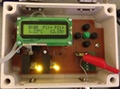
Enjoy. Suggestions welcome.
Code:
#include <SD.h>
#include <Wire.h>
#include "RTClib.h"
#include <OneWire.h>
#include <DallasTemperature.h>
#include <stdio.h>
// A simple data logger for the Arduino analog pins
// how many milliseconds between grabbing data and logging it. 1000 ms is once a second
#define LOG_INTERVAL 600000 // mills between entries (reduce to take more/faster data)
#define ONE_WIRE_BUS 8
// how many milliseconds before writing the logged data permanently to disk
// set it to the LOG_INTERVAL to write each time (safest)
// set it to 10*LOG_INTERVAL to write all data every 10 datareads, you could lose up to
// the last 10 reads if power is lost but it uses less power and is much faster!
#define SYNC_INTERVAL 600000 // mills between calls to flush() - to write data to the card
uint32_t syncTime = 0; // time of last sync()
#define ECHO_TO_SERIAL 1 // echo data to serial port
#define WAIT_TO_START 0 // Wait for serial input in setup()
// the digital pins that connect to the LEDs
#define redLEDpin 2
#define greenLEDpin 3
// The analog pins that connect to the sensors
#define photocellPin 0 // analog 0
#define tempPin 1 // analog 1
#define aref_voltage 3.3 // we tie 3.3V to ARef and measure it with a multimeter!
byte maxsensors = 0;
float celsius, fahrenheit;
OneWire ds(ONE_WIRE_BUS);
DallasTemperature sensors(&ds);
RTC_DS1307 RTC; // define the Real Time Clock object
// for the data logging shield, we use digital pin 10 for the SD cs line
const int chipSelect = 10;
// the logging file
File logfile;
void scanSensors(void)
{
byte i;
byte present = 0;
byte data[12];
byte addr[8];
while (ds.search(addr))
{
for( i = 0; i < 8; i++) {
}
if ( addr[0] == 0x10) {
maxsensors++;
}
else {
if (addr[0] == 0x28) {
maxsensors++;
}
else {
Serial.print("Device is unknown!\n");
Serial.print("Device ID: ");
Serial.print(addr[0],HEX);
Serial.println();
return;
}
}
ds.reset();
ds.select(addr);
ds.write(0x44,1); // start conversion, with parasite power on at the end
delay(1000); // maybe 750ms is enough, maybe not
// we might do a ds.depower() here, but the reset will take care of it.
present = ds.reset();
ds.select(addr);
ds.write(0xBE); // Read Scratchpad
for ( i = 0; i < 9; i++) { // we need 9 bytes
data[i] = ds.read();
}
}
ds.reset_search();
delay(250);
}
void error(char *str)
{
Serial.print("error: ");
Serial.println(str);
// red LED indicates error
digitalWrite(redLEDpin, HIGH);
while(1);
}
void setup(void)
{
Serial.begin(9600);
Serial.println();
// use debugging LEDs
pinMode(redLEDpin, OUTPUT);
pinMode(greenLEDpin, OUTPUT);
#if WAIT_TO_START
Serial.println("Type any character to start");
while (!Serial.available());
#endif //WAIT_TO_START
// initialize the SD card
Serial.print("Initializing SD card...");
// make sure that the default chip select pin is set to
// output, even if you don't use it:
pinMode(10, OUTPUT);
// see if the card is present and can be initialized:
if (!SD.begin(chipSelect)) {
error("Card failed, or not present");
}
Serial.println("card initialized.");
// create a new file
char filename[] = "LOGGER00.CSV";
for (uint8_t i = 0; i < 100; i++) {
filename[6] = i/10 + '0';
filename[7] = i%10 + '0';
if (! SD.exists(filename)) {
// only open a new file if it doesn't exist
logfile = SD.open(filename, FILE_WRITE);
break; // leave the loop!
}
}
if (! logfile) {
error("couldnt create file");
}
Serial.print("Logging to: ");
Serial.println(filename);
// connect to RTC
Wire.begin();
if (!RTC.begin()) {
logfile.println("RTC failed");
#if ECHO_TO_SERIAL
Serial.println("RTC failed");
#endif //ECHO_TO_SERIAL
}
logfile.println("millis,stamp,datetime,light,enclosure,outside,inside,water");
#if ECHO_TO_SERIAL
Serial.println("millis,stamp,datetime,light,enclosure,outside,inside,water");
#endif //ECHO_TO_SERIAL
// If you want to set the aref to something other than 5v
analogReference(EXTERNAL);
sensors.begin();
scanSensors();
}
void loop(void)
{
DateTime now;
// delay for the amount of time we want between readings
delay((LOG_INTERVAL -1) - (millis() % LOG_INTERVAL));
digitalWrite(greenLEDpin, HIGH);
// log milliseconds since starting
uint32_t m = millis();
logfile.print(m); // milliseconds since start
logfile.print(",");
#if ECHO_TO_SERIAL
Serial.print(m); // milliseconds since start
Serial.print(",");
#endif
// fetch the time
now = RTC.now();
// log time
logfile.print(now.unixtime()); // seconds since 1/1/1970
logfile.print(",");
//logfile.print('"');
logfile.print(now.month(), DEC);
logfile.print("/");
logfile.print(now.day(), DEC);
logfile.print("/");
logfile.print(now.year(), DEC);
logfile.print(" ");
logfile.print(now.hour(), DEC);
logfile.print(":");
logfile.print(now.minute(), DEC);
logfile.print(":");
logfile.print(now.second(), DEC);
//logfile.print('"');
#if ECHO_TO_SERIAL
Serial.print(now.unixtime()); // seconds since 1/1/1970
Serial.print(",");
// Serial.print('"');
Serial.print(now.month(), DEC);
Serial.print("/");
Serial.print(now.day(), DEC);
Serial.print("/");
Serial.print(now.year(), DEC);
Serial.print(" ");
Serial.print(now.hour(), DEC);
Serial.print(":");
Serial.print(now.minute(), DEC);
Serial.print(":");
Serial.print(now.second(), DEC);
// Serial.print('"');
#endif //ECHO_TO_SERIAL
analogRead(photocellPin);
delay(10);
int photocellReading = analogRead(photocellPin);
analogRead(tempPin);
delay(10);
int tempReading = analogRead(tempPin);
// converting that reading to voltage, for 3.3v arduino use 3.3, for 5.0, use 5.0
float voltage = tempReading * aref_voltage / 1024;
float temperatureC = (voltage - 0.5) * 100 ;
float temperatureF = (temperatureC * 9 / 5) + 32;
logfile.print(",");
logfile.print(photocellReading);
logfile.print(",");
logfile.print(temperatureF);
logfile.print(",");
#if ECHO_TO_SERIAL
Serial.print(",");
Serial.print(photocellReading);
Serial.print(",");
Serial.print(temperatureF);
Serial.print(",");
#endif //ECHO_TO_SERIAL
sensors.requestTemperatures();
for (int i=0;i<maxsensors;i++)
{
float celsius = sensors.getTempCByIndex(i);
fahrenheit = celsius * 1.8 + 32.0;
logfile.print(fahrenheit);
logfile.print(",");
#if ECHO_TO_SERIAL
Serial.print(fahrenheit);
Serial.print(",");
#endif // ECHO_TO_SERIAL
}
logfile.println();
#if ECHO_TO_SERIAL
Serial.println();
#endif // ECHO_TO_SERIAL
digitalWrite(greenLEDpin, LOW);
// Now we write data to disk! Don't sync too often - requires 2048 bytes of I/O to SD card
// which uses a bunch of power and takes time
if ((millis() - syncTime) < SYNC_INTERVAL) return;
syncTime = millis();
// blink LED to show we are syncing data to the card & updating FAT!
digitalWrite(redLEDpin, HIGH);
logfile.flush();
digitalWrite(redLEDpin, LOW);
}
 Backyard Aquaponics