⚠️ This forum has been restored as a read-only archive so the knowledge shared by the community over many years remains available. New registrations and posting are disabled.

All times are UTC + 8 hours


Post new topic Reply to topic  [ 10 posts ] 
Author Message
PostPosted: Mar 26th, '12, 20:04 
Newbie
Newbie

Joined: Aug 3rd, '11, 21:50
Posts: 13
Images: 23
Gender: Male
Are you human?: yes
Location: United States
When I submit a photo, I don't see it until using a different login (my neighbor) and then on his login my photo say pending approval. I see how to approve the photo at that time. My question is how do I get the opportunity to approve my own photo to my own album? I showed a teacher at Dunbar how to upload a photo, but again no way of approving it. Please explain the process. Thanks.


Top
 Profile Personal album  
Reply with quote  
    Advertisement
 
PostPosted: Mar 26th, '12, 20:34 
Moderator
Moderator
User avatar

Joined: May 6th, '11, 12:06
Posts: 12206
Gender: Male
Location: Northern NSW
Hey there mate, looks like you need a hand.

I see your photo's are all in a personal album. Have you tried posting them straight into a thread?


Top
 Profile  
Reply with quote  
PostPosted: Mar 26th, '12, 20:38 
Newbie
Newbie

Joined: Aug 3rd, '11, 21:50
Posts: 13
Images: 23
Gender: Male
Are you human?: yes
Location: United States
Don't know how. thanks ...any help appreciated.


Top
 Profile Personal album  
Reply with quote  
PostPosted: Mar 26th, '12, 20:47 
Moderator
Moderator
User avatar

Joined: May 6th, '11, 12:06
Posts: 12206
Gender: Male
Location: Northern NSW
Ok, if you havnt already - start a new thread the same way you did this one and call it gillybro's system or something you like.

If you have a thread already that you want them in, reply post to it and open up a new post and type whatever you like in the text box.

The next heading under the text box is titled "Upload attachment" you want to hit the "choose file" button and it will open a browser which you can select your photo from. Then click the "Add the file" button and it will take a moment to load in. You can do this another 2 times to make a total of 3 pics.

When you "submit" the post they will automatically load in.

Or - when you have all 3 pics added you have the option to "place inline" which is located at the bottom left side of the text box. You can choose each pic from this and add them into the text box which basically does the same thing as previously mentioned.

See how you go :thumbright:


Top
 Profile  
Reply with quote  
PostPosted: Mar 26th, '12, 20:56 
Newbie
Newbie

Joined: Aug 3rd, '11, 21:50
Posts: 13
Images: 23
Gender: Male
Are you human?: yes
Location: United States
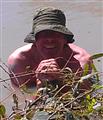
I'll try one here. this was taken while setting up an IBC tote system for Dunbar Middle School in Fort Worth, Texas.


Attachments:
File comment: This is fishmanzz on right and I am in the maroon jacket.
small 05.jpg
small 05.jpg [ 135.28 KiB | Viewed 4402 times ]
Top
 Profile Personal album  
Reply with quote  
PostPosted: Mar 26th, '12, 20:58 
Moderator
Moderator
User avatar

Joined: May 6th, '11, 12:06
Posts: 12206
Gender: Male
Location: Northern NSW
Thats it mate, you nailed it.


Top
 Profile  
Reply with quote  
PostPosted: Mar 27th, '12, 16:14 
Moderator
Moderator
User avatar

Joined: Mar 24th, '10, 13:00
Posts: 5086
Gender: Male
Are you human?: Daughters think not
Location: Horsham, Victoria, Australia
Well done Charlie, you just earned 50 moderator points :D


Top
 Profile  
Reply with quote  
PostPosted: Mar 27th, '12, 17:29 
Moderator
Moderator
User avatar

Joined: May 6th, '11, 12:06
Posts: 12206
Gender: Male
Location: Northern NSW
That puts me at about 9050 moderator points just on photo uploading assistance.

...another 855,000,000,000,000 and Ill get a BYAP hat! woohooo!!! *arm pumps to the sky*


Top
 Profile  
Reply with quote  
PostPosted: Mar 27th, '12, 17:54 
Spam Assassin (Be afraid!)
Spam Assassin     (Be afraid!)
User avatar

Joined: Aug 24th, '06, 11:50
Posts: 10202
Location: Townsville
Gender: Female
Location: home
work hard my young apprentice


Top
 Profile  
Reply with quote  
PostPosted: Mar 27th, '12, 21:24 
Moderator
Moderator
User avatar

Joined: May 6th, '11, 12:06
Posts: 12206
Gender: Male
Location: Northern NSW
thanks boss :wave1:


Top
 Profile  
Reply with quote  
Display posts from previous:  Sort by  
Post new topic Reply to topic  [ 10 posts ] 

All times are UTC + 8 hours


You cannot post new topics in this forum
You cannot reply to topics in this forum
You cannot edit your posts in this forum
You cannot delete your posts in this forum
You cannot post attachments in this forum

Search for:
Jump to:  
cron

Powered by phpBB® Forum Software © phpBB Group
Portal by phpBB3 Portal © phpBB Türkiye
[ Time : 0.109s | 17 Queries | GZIP : Off ]